
Recent Comments
- Daniel on Rebuilding bad frames using OFlow
- justin.li on Keyframe Reduction script for Nuke
- srikanth on Colour Smear for Nuke (UPDATE v2.0)
- pralhad on Colour Smear for Nuke (UPDATE v2.0)
- Francois Leduc on FrameBlendMerge
Sort Images by MetaData
May 20, 2025
THE BRIEF
I recently needed a way of grouping some photographs by common focal length. I had been on set, taking a whole lot of reference images of a building, but wanted to separate out a set of them in order to produce a photogrammetry model.
The photogrammetry software only really works if all of the images are the same focal length (and I had been using the zoom lens all day, so focal lengths were all over the place), so I wanted to find only the ones that were 50mm.
THE SOLUTION
I thought a basic Python script should be able to do this. I took the basic code for sbnAlignReadNodes by Sebastian Faber as a start point, as this script looped through a series of Read nodes in Nuke and ordered them by filename. I tweaked this to instead extract the metadata information in the source file and group by the /focal/ key. The Read nodes were then arranged on Backdrops and labeled with that metadata value.
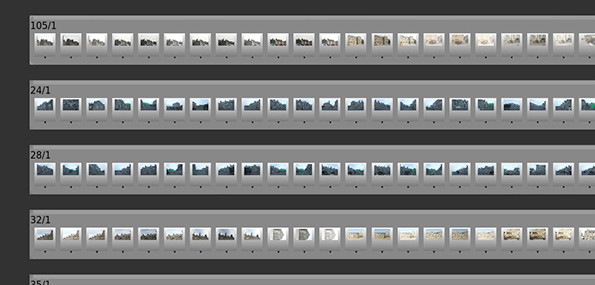
This produced the result that I wanted, however the specific metadata key was hard coded, so I thought it would be more useful to sort the Read nodes by any arbitrary metadata key.
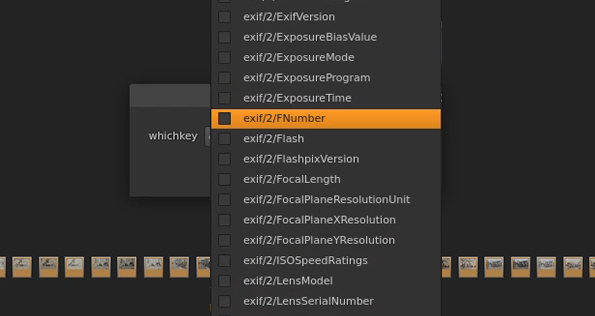
So I updated the script to look through all the metadata keys available and present them as a drop-down menu choice before the sorting happens. This way I could sort by f-stop, shutter time, resolution – basically any value that is recorded in metadata.
THE SCRIPT
Here is the GitHub link for the script. You can run this from Nuke’s Script Editor panel, or by installing it in your menu.py file and calling the function rfSortByMetadata.
You will need to import all of your images into Nuke as separate Read nodes, then select them in the Node Graph and run the function.
If you have ideas on how to improve / optimise my code, please branch it off and send me a copy of your updates.


Leave a comment